 New Zealand
 United Kingdom


EDB7 Firmware Update
Author: Harry Belcher Date Posted:22 July 2025
Recently, we've identified a small firmware issue with the Artist EDB7 Electronic Drum Kit, which causes the H.webp) i-Hat and Tom 1 pads to not trigger when played at the same time. The same firmware bug also causes inconsistent triggering when the Crash and Tom 1 pads are played concurrently. Thankfully, we've made some firmware changes that eliminate this issue.
i-Hat and Tom 1 pads to not trigger when played at the same time. The same firmware bug also causes inconsistent triggering when the Crash and Tom 1 pads are played concurrently. Thankfully, we've made some firmware changes that eliminate this issue.
This firmware update will now be rolled out as standard across all factory-new kits, but if you purchased your EDB7 before this change, you may find this triggering issue rears its ugly head on occasion just when you're in the middle of rocking out! If that's the case, we've made this firmware update available for all customers here. We've included the steps for installation below:
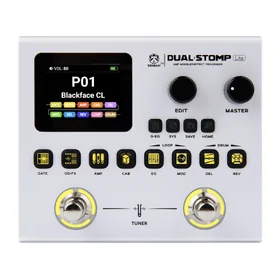
1. Connect your EDB7 module (pictured) to your computer via USB cable and turn on the module. (Your computer must be running Windows 10 or higher)
2.Download the Artist EDB7 Firmware Update by clicking this link.
3. Unzip the file.
4. Open the folder "Artist Guitars EDB7 Firmware Update"
5. Double click .exe file “Artist Guitars EDB7 Firmware Update v1.8”
6. The Module LCD screen will turn off during the software upgrade. It will turn on again once the software has upgraded successfully.
If you're confused by any of the steps outlined in this process, feel free to call our friendly customer service team on 1300 489 816, or send an email to sales@artistguitars.com.au - they'll be more than happy to walk you through the update process in more detail!