 New Zealand
 United Kingdom


How to Pay for Your Artist Guitars Order Using Two Different Cards
Author: JW Date Posted:16 September 2026
If you need to split your order payment between two or more cards, for example, when using a gift card to pay part of your order, you can easily do this by placing your order using Direct Deposit at checkout.
Once your order is placed, you will receive an invoice by email. You can then pay the invoice any amount, as many times as needed, until the full order total has been paid.
Payments can be made using Credit/Debit Card or PayPal. Please note that Afterpay and Zip Pay are not available for these payments.
1. Place Your Order via Direct Debit:
- Browse the Artist Guitars website, find your items, and click Add to Basket.
.png)
- Open your shopping cart and select Checkout.
.png)
- Review your items and quantities to ensure everything is correct.
- Enter your contact and delivery information.
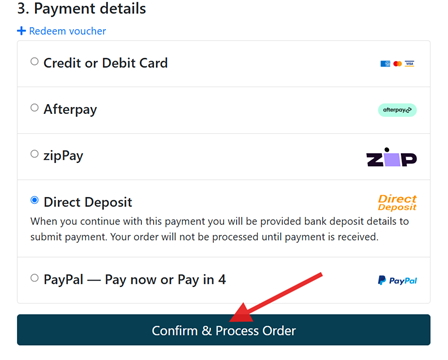
- Under the payment options, select Direct Deposit, review, and click Confirm & Process Order.
2. Make Your Partial Payments
Split the balance across your cards
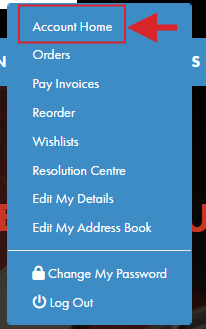
- To log in to the Artist Guitars website, hover over the Account icon, and click Account Home.
- Locate your order number under your order history and click the Pay icon next to it.
.png)
- Select your preferred payment option (Credit/Debit Card or PayPal Merchant).
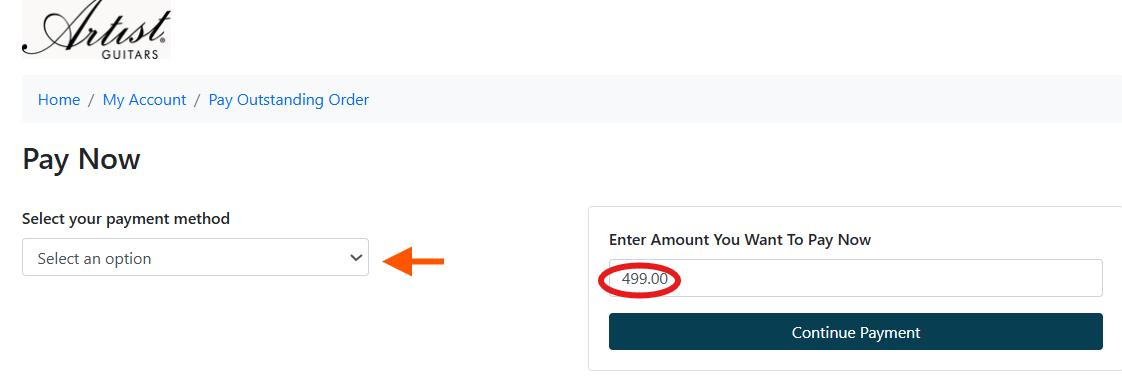
- Adjust the payment amount: The box will default to the full total. Delete this number and enter the specific amount you wish to pay with your first card.
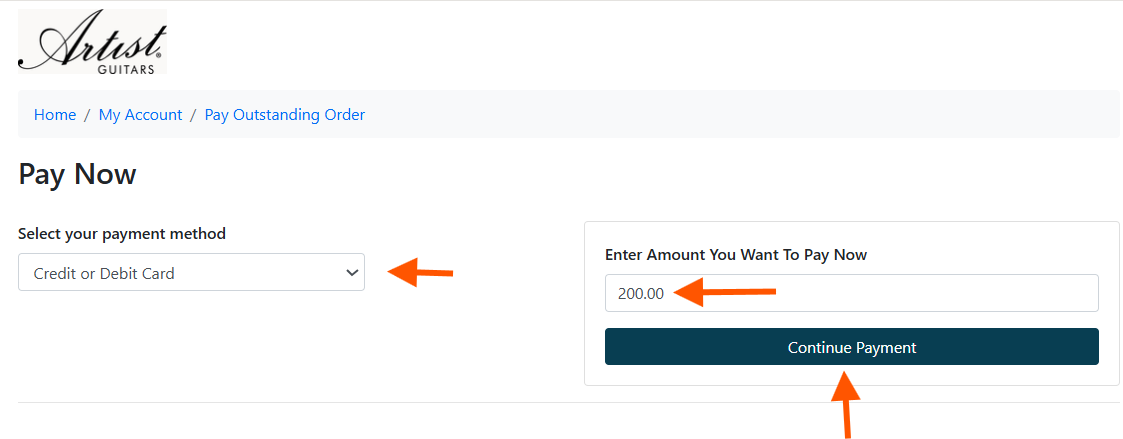
- Click Continue to Payment, enter your first card's details, and complete the payment.
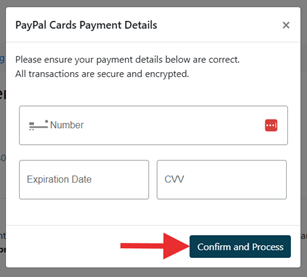
- Return to your Account Home page, click Pay on the same order, enter the remaining balance, and pay with your second card.
Important Note: Orders will not be packed or shipped until the total balance has been paid in full.